
An open house app with automatic pre-qualification
Publish a listing, print the QR code, and let visitors sign in on their own phones. An authorization checkbox is part of sign-in; pre-qualification runs automatically after authorized sign-in.
QLFI is not a lender. Results are preliminary and subject to lender verification and approval.
QR
code and flyer for every listing
Own phone
visitors sign in on their own device
Automatic
pre-qualification after authorized sign-in
$0
for any visitor QLFI can't match
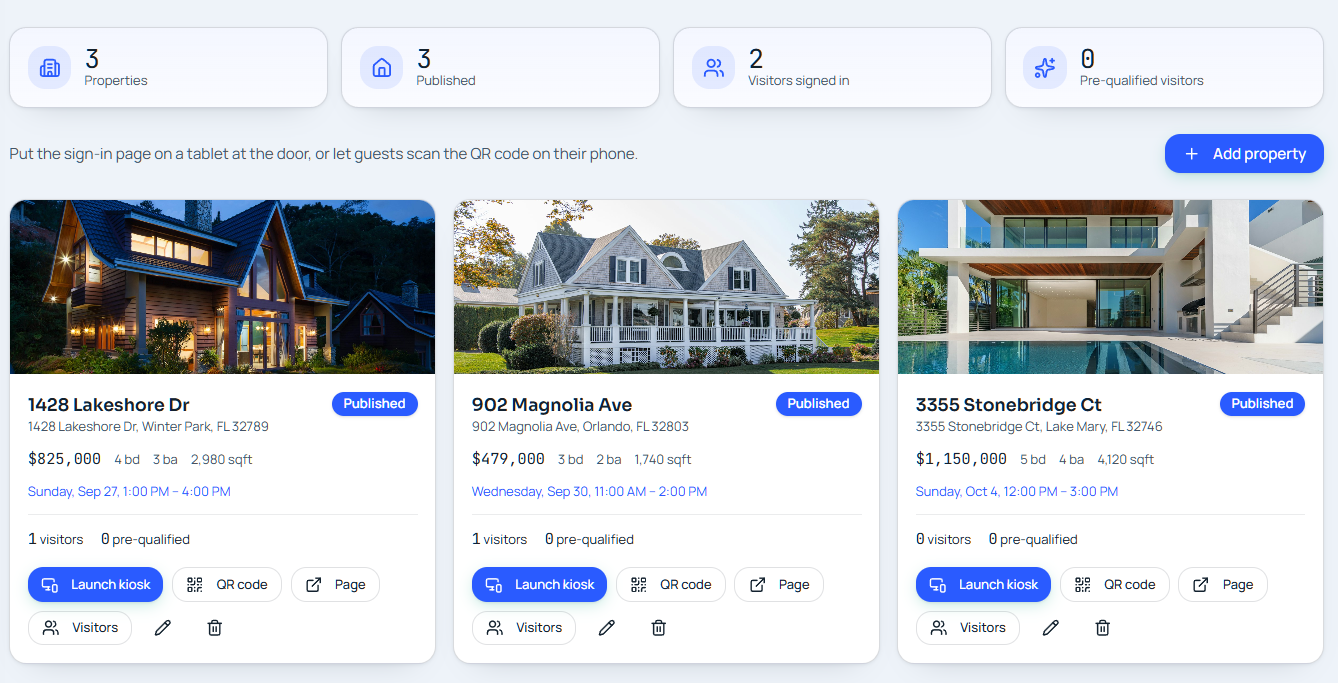
Publish listings and track visitors.
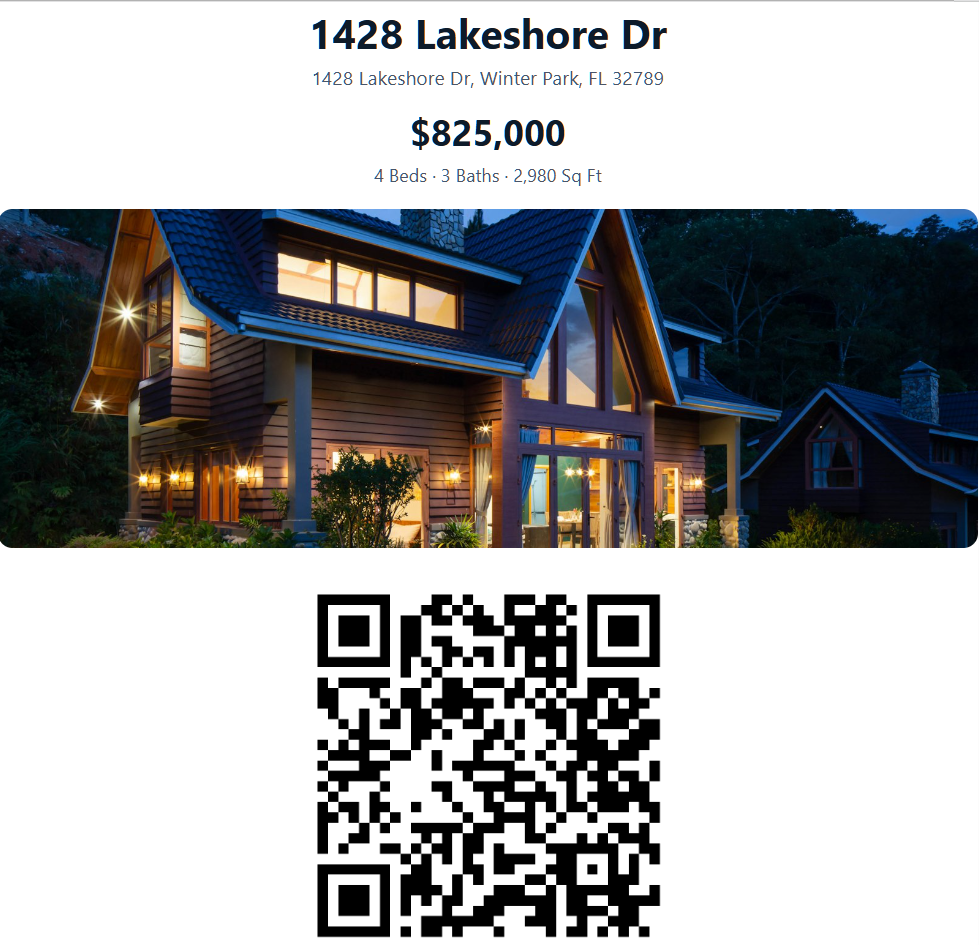
A QR code for each listing, ready for a flyer or sign.
One sign-in, automatic pre-qualification
Visitors scan the QR code and sign in on their own phone. An authorization checkbox is included on the sign-in form; pre-qualification runs automatically after authorized sign-in, without a separate offer afterward.
- Visitor-phone workflow, without a shared device
- Name, phone and email collected at sign-in
- Authorization checkbox on the sign-in form
- Automatic preliminary results for the agent's follow-up
Welcome to 1428 Lakeshore Dr
Scan to sign in
Illustrative. Visitors use their own phone.
Using QLFI at an open house: phones, iPads and Android tablets
Comparing open-house sign-in apps for an iPad or Android tablet? QLFI's documented workflow lets visitors scan a listing QR code and sign in on their own phones. Buyer pre-qualification runs automatically after authorization via the sign-in checkbox. Confirm your intended device setup before relying on a tablet workflow.
| Task | Device / access | What is established | Before the event |
|---|---|---|---|
| Manage a listing | QLFI agent dashboard | Listing management is documented; iPad Safari and Android tablet Chrome support is not confirmed. | Confirm the browser and actions you need in a demo. |
| Visitor signs in | Visitor's own phone → listing QR code → sign-in page | Documented product workflow, not a device-by-device compatibility certification. | Open the correct listing and check readable contact fields and the authorization checkbox. |
| Visitor uses a tablet | Intended tablet browser or native app | Native iPad support, Android tablet optimization and shared-device submissions are not established. | Confirm compatibility, previous-visitor data clearing and who can see results before use. |
- Manage a listing
- Device / accessQLFI agent dashboard
- What is establishedListing management is documented; iPad Safari and Android tablet Chrome support is not confirmed.
- Before the eventConfirm the browser and actions you need in a demo.
- Visitor signs in
- Device / accessVisitor's own phone → listing QR code → sign-in page
- What is establishedDocumented product workflow, not a device-by-device compatibility certification.
- Before the eventOpen the correct listing and check readable contact fields and the authorization checkbox.
- Visitor uses a tablet
- Device / accessIntended tablet browser or native app
- What is establishedNative iPad support, Android tablet optimization and shared-device submissions are not established.
- Before the eventConfirm compatibility, previous-visitor data clearing and who can see results before use.
A phone app is not a tablet guarantee
QLFI's records list iPhone and Android mobile apps. That does not establish native iPad support, tablet browser compatibility or a shared-device workflow. No tablet certification is claimed here.
Plan for connection and privacy
Do not rely on offline submissions or background synchronization; neither is verified. Confirm connectivity at the property. Before using a shared device, confirm session clearing and result visibility with QLFI.
Compare tablet and visitor-phone sign-in setups. Start with the QLFI demo for your intended setup. Read what an authorized assessment returns and which subscription includes the Open House App.
Product documentation reviewed October 20, 2026. Tablet compatibility and shared-device use are not verified.
Try it at your next open house
Included with Single Agent and every team plan.
Listing to follow-up
- 01
Set up the listing
Add the property, photos and details.
- 02
Print QR codes and flyers
Place them where visitors walk in.
- 03
Visitors sign in and authorize
On their own phone, with an authorization checkbox on the listing sign-in form.
- 04
Automatic pre-qualification
Runs after authorized sign-in, without another visitor step.
- 05
Follow up
Leads land in your pipeline, ready to message.
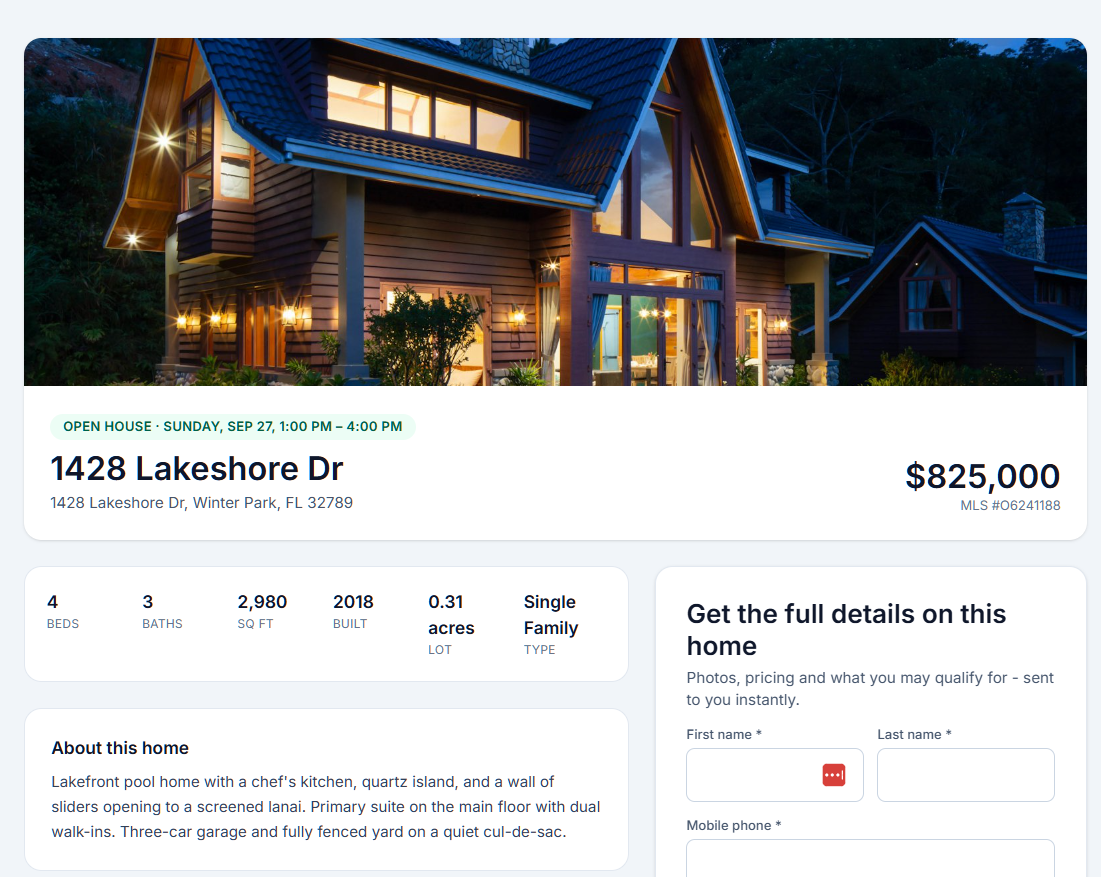
Sign-in, assessment and follow-up
Contact capture, automatic assessment after authorized sign-in, and agent follow-up.
| Capability | Sign-in | Authorized assessment | After the event |
|---|---|---|---|
| Name, phone and email captured | |||
| Buyer authorization for a soft inquiry | |||
| Tri-merge credit report and buying power | |||
| Preliminary program matches | |||
| Lead in CRM and pipeline | |||
| Messages and follow-up |
Every visitor, ready to follow up
When the open house ends, every visitor is already in your pipeline with their status, so follow-up starts the same day.
- See visitor sign-ins and preliminary qualification statuses
- A full tri-merge mortgage report for those who authorized
- Message visitors from the conversations inbox
- Move them through your buyer pipeline
Sunday open house · 5 visitors
Is it right for you?
A good fit if
- You host open houses regularly
- You want visitor leads in one pipeline
- You want an authorized preliminary assessment to inform follow-up
Included with
Single Agent ($97/month + $5 per run) and every team plan. Not included with Pay As You Go. See pricing
Planning an event? Read how to pre-qualify open house visitors and QR code open house sign-in.
Turn every open house into a list of buyers you actually know something about.
Run your next open house on QLFI
Common questions
QLFI's documented open-house workflow is a listing QR code that visitors open on their own phones. iPad dashboard use and visitor sign-in on iPad Safari have not been confirmed in the reviewed product records. Confirm your intended setup with QLFI before relying on it; this is not a claim of a native iPad app or shared-tablet support.
The product records list an Android mobile app, but do not establish Android tablet optimization or visitor sign-in compatibility in tablet Chrome. The documented alternative is visitor-phone QR sign-in. Ask QLFI to confirm the tablet, browser and workflow you intend to use.
The documented visitor workflow opens the listing sign-in page from a QR code on the visitor's phone; an app download is not part of that workflow. Agent mobile apps are separate from visitor sign-in.
No. The Open House App is included with Single Agent and team plans. Pay As You Go covers individual pre-qualification runs.
A sign-in page for that listing, with the property details. Visitors scan it with their own phone.
No. Visitors authorize pre-qualification with a checkbox on the sign-in form. It runs automatically after authorized sign-in; there is no separate post-sign-in offer.
A preliminary picture: credit information, estimated buying power and program matches. It is not a mortgage approval and is subject to lender verification.
No. If QLFI cannot match a visitor, there is no charge for that run.
Related
Run your next open house on QLFI
QLFI is operated by Lending Consultants of America LLC. QLFI is not a lender and does not issue mortgage approvals.